fluxer.com has passed half a million registered users. The Fluxer apps work with self-hosted instances, and the Operator Pass waitlist is open.

Read the post

Run your own Fluxer instance

Fluxer is open source under the AGPL-3.0 license, and self-hosting it is free. One command installs your own instance on Linux, macOS or Windows.

Install with one command

curl -fsSL https://fluxer.dev/install.sh | sh

Read the script on GitHub

irm https://fluxer.dev/install.ps1 | iex

Run this in PowerShell.Read the script on GitHub

The script downloads rexctl from our GitHub releases, checks its SHA-256 checksum and starts it. rexctl asks you a few questions, sets up Fluxer with HTTPS and prints your instance's address when it's done.

Read the self-hosting guide

What you need

  • A 64-bit Intel, AMD or Arm machine running Linux, macOS or Windows, with at least 2 CPU cores, 4 GB of memory and 20 GB of free disk space. That's enough for an instance with about 1,000 people online at the same time.

  • On Linux, rexctl works with Docker or Podman and installs Docker for you if neither is there. On macOS and Windows, you need Docker Desktop installed and running.

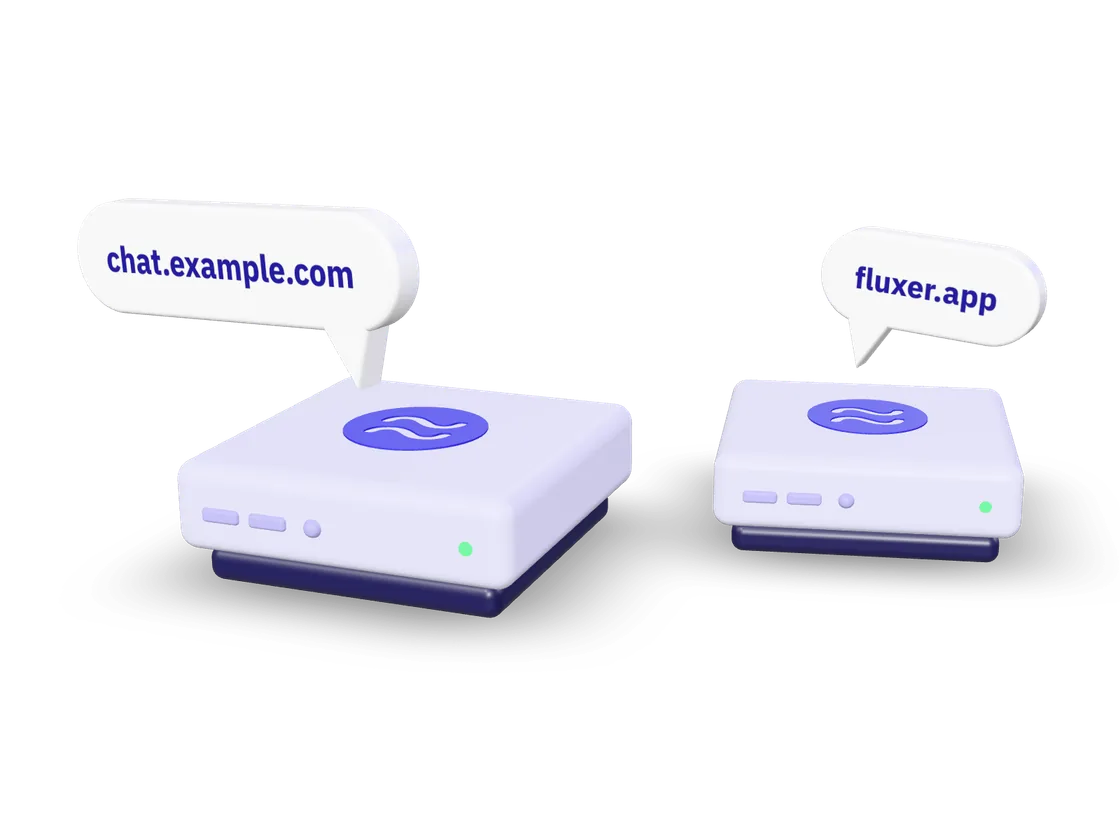
  • A domain or subdomain for your instance, such as chat.example.com, with an A record in its DNS settings that points to the machine's public IP address.

  • TCP ports 80, 443 and 7881 and UDP ports 443 and 7882 open in any firewall in front of the machine. rexctl can open them in the machine's own firewall with ufw or firewalld.

  • An email server is optional. You can set one up later, or let people sign in with a username and no email address.

Read the full requirements

Open source on GitHub

The code for Fluxer and rexctl is on GitHub under the AGPL-3.0 license. You can run, study, change and share it, and if you change it and offer it to others over a network, you share your changes under the same license.

You don't need a license key, and there is no reduced edition. Fluxer is funded through Plutonium, donations and the Operator Pass.

Running your instance

rexctl keeps your instance running after the install. Run these commands in a terminal on the machine where you installed Fluxer.

  • Upgrade

    rexctl upgrade

    This upgrades rexctl and Fluxer together. It backs up your instance first, and if the new version doesn't start, it goes back on its own to the version you had before.

    How upgrades work

  • Roll back

    rexctl rollback

    This goes back to the version you had before your last upgrade and keeps your database as it is. You can also restore the backup that rexctl made before the upgrade.

    How rolling back works

  • Back up and restore

    rexctl backup

    This saves your settings, database and uploads in one file. You can restore it on the same machine or use it to move your instance to another machine.

    How backups work

  • Manage people

    rexctl invites create

    This creates an invite link. Other rexctl commands let you choose who can create an account, approve people who are waiting, add admins and ban accounts.

    How to manage people

  • Check for problems

    rexctl doctor

    This checks your instance and the machine for problems. If you add --fix, rexctl also fixes the problems it can fix safely.

    Every rexctl command

  • Change settings

    rexctl config list

    This lists every setting with its value and a line of help. You can change email and branding in the admin panel too.

    How to change settings

Other ways to run Fluxer

  • Docker Compose

    If your platform runs compose stacks for you, such as Portainer, TrueNAS or Unraid, every release comes with a compose bundle.

    Run with Docker Compose

  • Kubernetes

    The Helm chart runs the same Fluxer services that rexctl runs on one machine, on a Kubernetes 1.29 or newer cluster.

    Run on Kubernetes

  • Your own reverse proxy

    If another web server on the machine already uses ports 80 and 443, Fluxer can serve plain HTTP for nginx, Caddy or another proxy.

    Use your own proxy

People use the Fluxer apps

People open your instance's address in a browser or enter it in the Fluxer desktop and mobile apps. You choose whether they sign in with an email address or a username, and you can add single sign-on through your own identity provider.

You also decide who can create an account, with open registration, approval, invite links or no new accounts. People can add accounts from different instances, including fluxer.com, to the account switcher in the app.

Your instance and fluxer.com

Your self-hosted instance doesn't phone home or depend on a central sign-in system. Fluxer staff can't ban you from your own instance or from any other instance we don't run.

No paid tier on your instance

There is no Plutonium on a self-hosted instance. You can have every Plutonium perk for yourself for free or decide how your users get them, and uploads don't have to expire.

Push notifications for your own instance

Apple and Google deliver notifications to the official Fluxer app with credentials that only Fluxer has. Our push relay passes your instance's notifications on to them, but only when both you and the person using the app turn it on.

Your instance encrypts each notification, and we can't read it. We record delivery details, such as the time and your instance's network address. On Android, the UnifiedPush version of the app doesn't need our relay.

What the relay can see

What it takes

Running an instance takes ongoing work. You keep Fluxer updated and your instance running, and you handle moderation and safety for the people who use it.

As the instance admin, you are the data controller for your instance, with your own legal duties under data protection law, as section 1 of our privacy policy says.

Questions about self-hosting

Is self-hosting free?

Yes. Fluxer and rexctl are free, and you only pay for the machine, the domain and anything else you use.

Do I need the Operator Pass to self-host?

No. Self-hosting, the docs and community help in Fluxer Developers are free for everyone. The Operator Pass is an optional one-time purchase that helps pay for Fluxer, and it doesn't unlock or change anything on your instance.

Can I move my instance to another machine?

Yes. Back up your instance with rexctl backup, copy the backup file to the new machine and restore it there with the install script. Then change your domain's A record to the new machine's address.

How do I upgrade an instance I installed before rexctl existed?

Run the current install script with --update and the folder your instance is in. It installs rexctl and hands your instance over to it, and your data and settings stay as they are. You don't need to reinstall.

Can I stop using rexctl later?

Yes. rexctl eject writes every setting into your instance's folder for Docker Compose and stops rexctl from changing the instance, and Fluxer keeps running. rexctl takeover hands the instance back to rexctl.

Can I use my own storage or database?

When you install with rexctl, --storage-endpoint uses your own S3-compatible object store. The Helm chart for Kubernetes can also use a Postgres, Valkey, NATS, Meilisearch or LiveKit server that you already run.

Hampus Kraft, creator of Fluxer

Using Fluxer for work

If you want to use Fluxer for work, I'd love to hear what it needs before it can replace what you use today. Email me at , and I'll reply when I can.

The Operator Pass

Get your name on the Operators' wall and the Operator badge. You keep both for life, which means for as long as we run Fluxer. You pay once, and the pass doesn't unlock or change anything on an instance you host yourself.

Operators

Operators help pay for Fluxer with the Operator Pass.

Welcome to the Fluxerverse

Install the app or open Fluxer in a browser and start talking.